🪄 Creating a Share Link
Share links are the heart of DocTrack. Each link wraps a document in a configurable layer of security and branding, then tracks every interaction. This page walks through every option in the link creation form.
To begin, open a document's Share action (from the Documents grid or the Shared Links page), then click Create New Share Link.
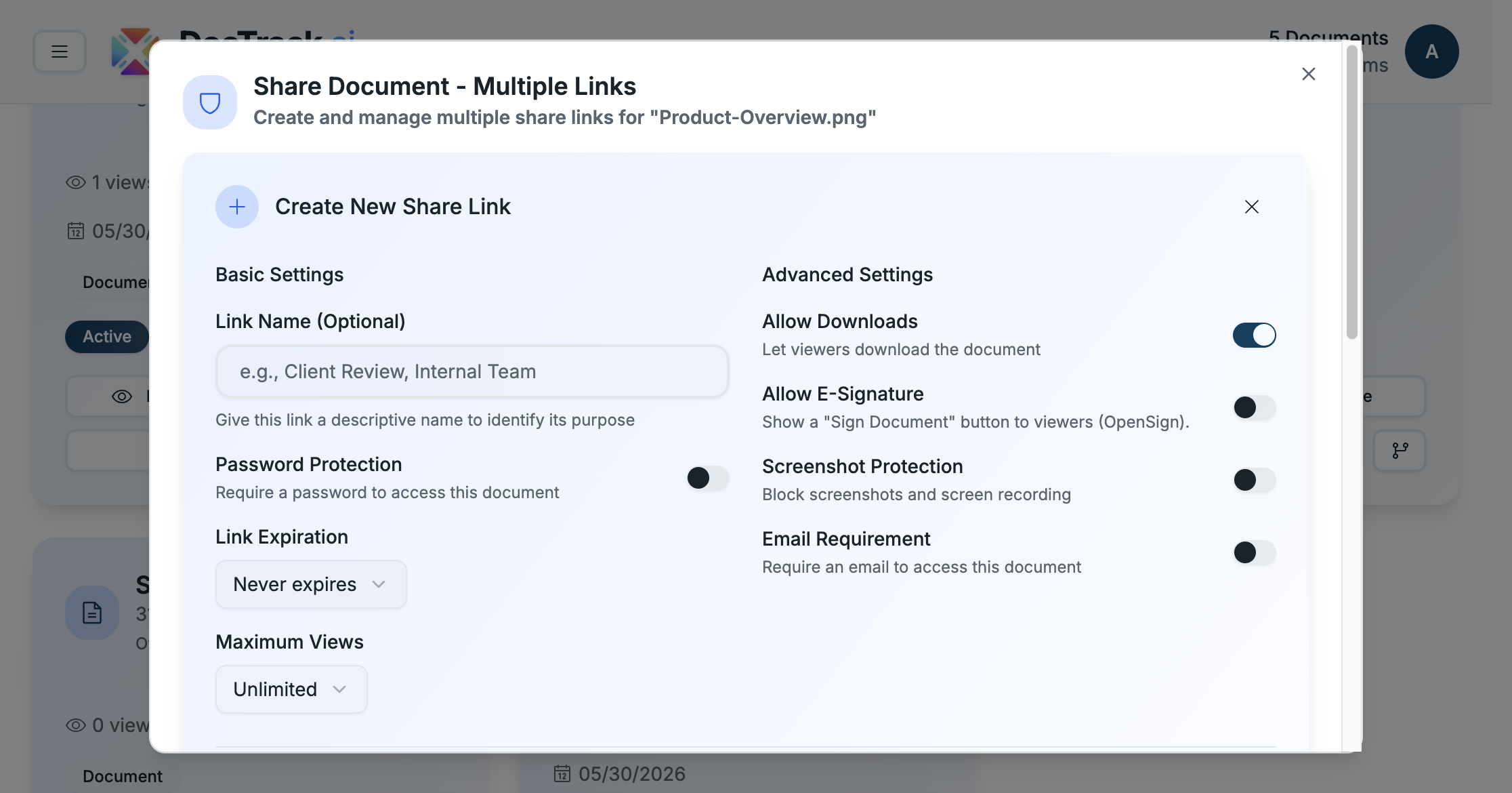
⚙️ Basic Settings
| Setting | Description |
|---|---|
| 🏷️ Link Name (optional) | A descriptive name to identify the link's purpose (e.g. "Client Review"). |
| 🔐 Password Protection | Require a password before the document opens. |
| ⏳ Link Expiration | Choose when the link stops working — defaults to Never expires. |
| 👁️ Maximum Views | Cap how many times the document can be opened — defaults to Unlimited. |
🛠️ Advanced Settings
| Setting | Description |
|---|---|
| 📥 Allow Downloads | Let viewers download the document (on by default). |
| ✍️ Allow E-Signature | Show a Sign Document button to viewers, powered by OpenSign. |
| 📵 Screenshot Protection | Block screenshots and screen recording in the viewer. |
| 📧 Email Requirement | Require a verified email before the viewer can access the document. |
💧 Watermark Configuration
Enable Watermark to overlay a dynamic watermark across every page of the document. Watermarks deter leaks by stamping viewer-identifying details onto the content, so any captured copy can be traced back to its source.
🎨 Branding & Domains
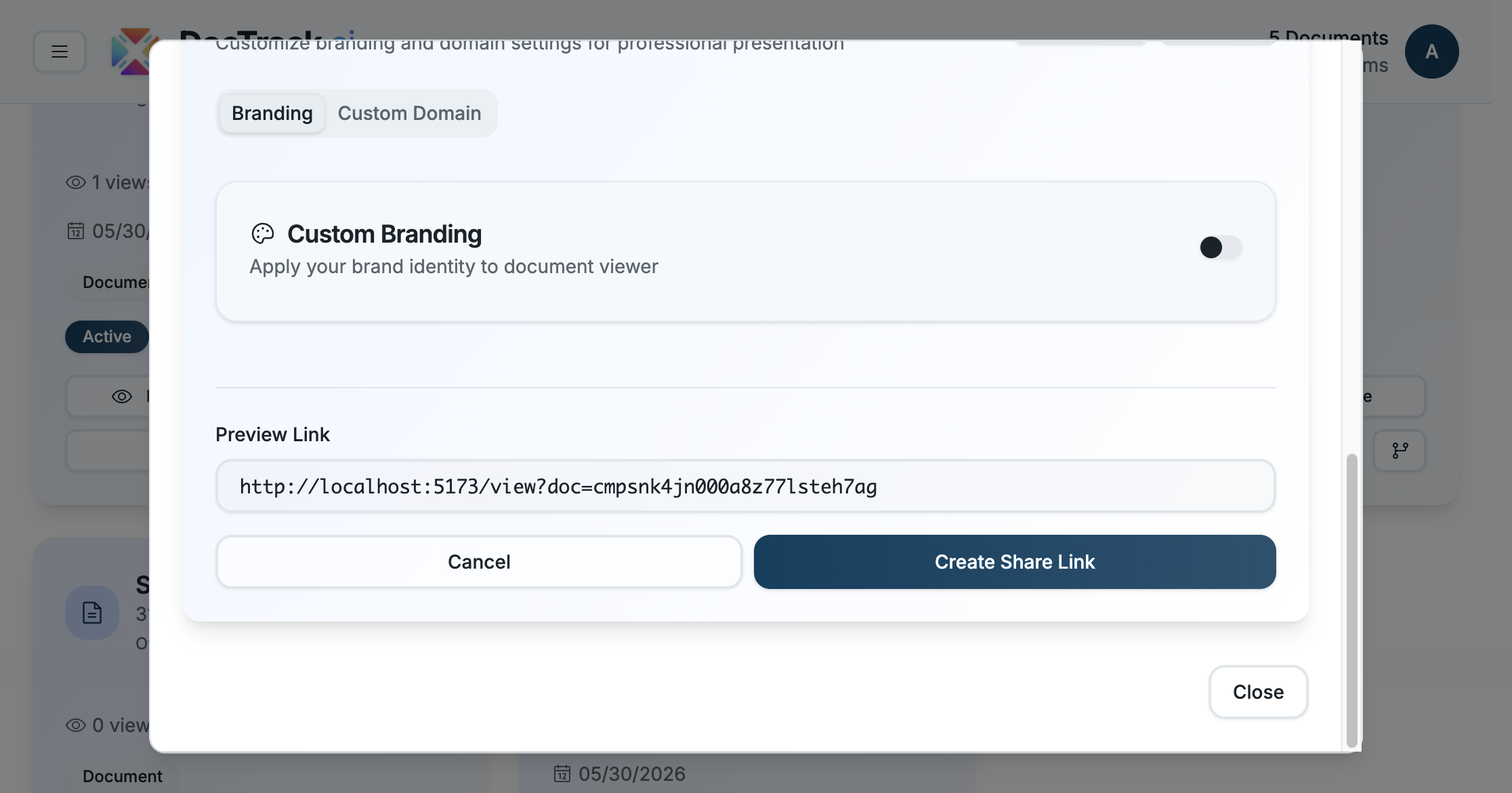
The Branding & Domains section lets you present documents professionally:
- 🎨 Custom Branding — apply your brand identity (logo and colors) to the document viewer.
- 🌐 Custom Domain — serve the link from your own domain for a white-labeled experience.
- 👁️ Preview Link — see the exact URL recipients will receive before you create the link.
✅ Creating the Link
When you've configured the settings you need, click Create Share Link. The link is generated instantly and added to the document's list of links, where you can copy it, generate a QR code, or share it directly.
💡 Tip: Create a separate link per recipient or audience. This lets you compare engagement and revoke any single link without affecting the others.
Next: collect documents from others with File Requests. 🚀