👁️ The Document Viewer
When you preview a document — or when a recipient opens one of your share links — it loads in DocTrack's secure document viewer. The viewer is where reading happens and where engagement is measured.
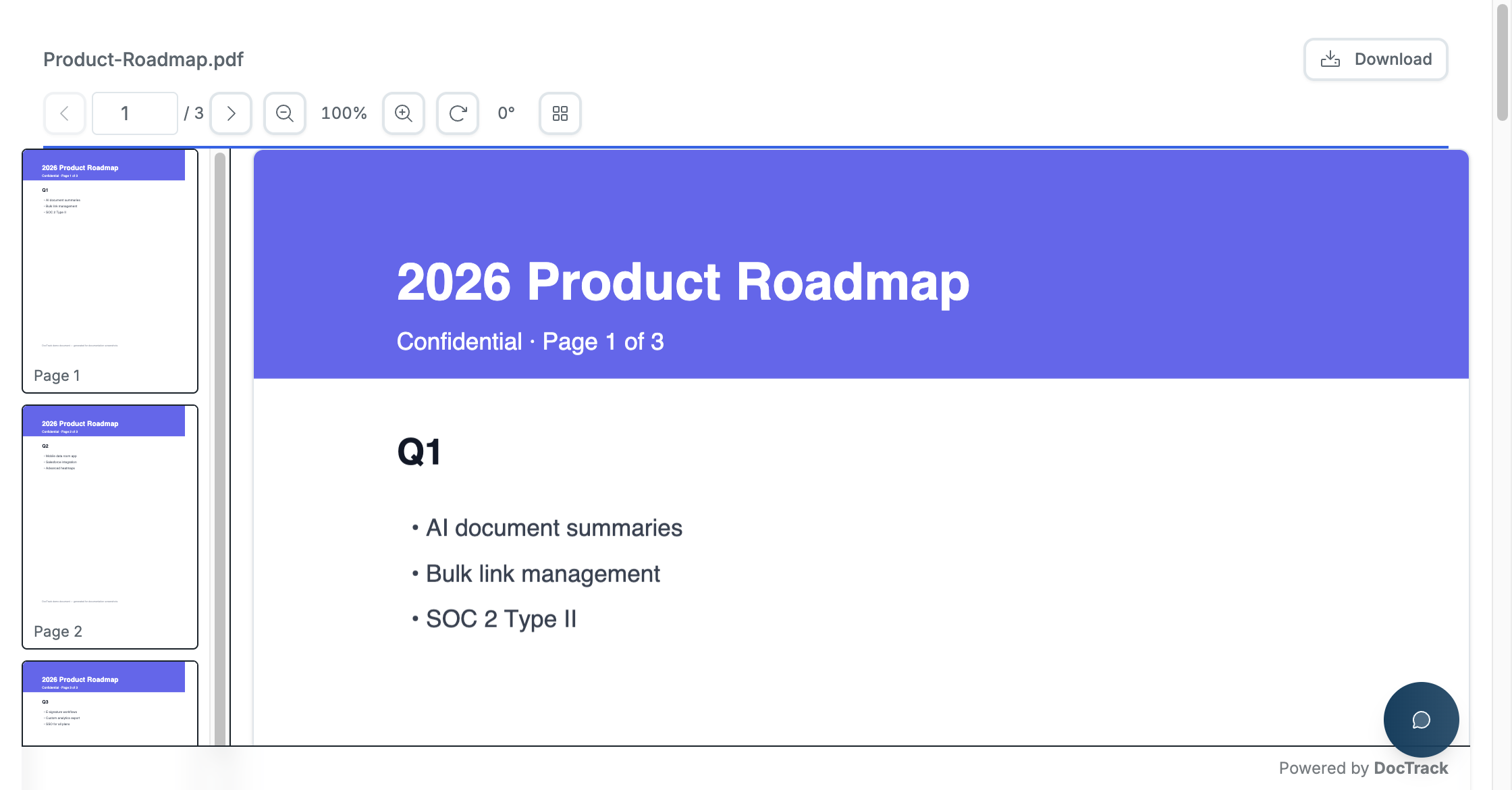
🧭 Viewer Controls
The viewer provides a familiar reading experience with built-in controls:
| Control | Purpose |
|---|---|
| ◀️ ▶️ Page navigation | Move between pages (e.g. 1 / 3). |
| 🔍 Zoom | Zoom in and out (default 100%). |
| 🔄 Rotate | Rotate the current page. |
| 🖼️ Thumbnails | Toggle a thumbnail strip to jump between pages. |
| 📥 Download | Download the document — shown only when the link allows downloads. |
| ✍️ Ask a Question | Open the in-viewer question/chat panel to contact the owner. |
A "Powered by DocTrack" footer appears on shared documents unless custom branding is applied.
📊 What the Viewer Tracks
Every session in the viewer feeds your analytics:
- 👁️ Views — each time the document is opened.
- ⏱️ Time per page — how long the viewer spends on each page.
- ✅ Completion — how much of the document was read.
- 🌍 Location & device — derived from the visitor's session.
This is what powers the Document Analytics and Dashboard reports.
🛡️ Protection in the Viewer
Depending on the link's settings, the viewer can enforce:
- 🔐 Password prompt before the document loads.
- 📧 Email capture to identify the viewer.
- 💧 Dynamic watermark overlaid across each page.
- 📵 Screenshot/recording blocking.
- 🚫 Download disabled to prevent saving a local copy.
These are all configured when you create a share link.
Next: learn how to bundle documents together with Data Rooms. 🚀