✨ Features Overview
DocTrack brings together everything you need to share documents securely and understand how they're received. Here's a tour of the main areas of the app.
🏠 The Dashboard
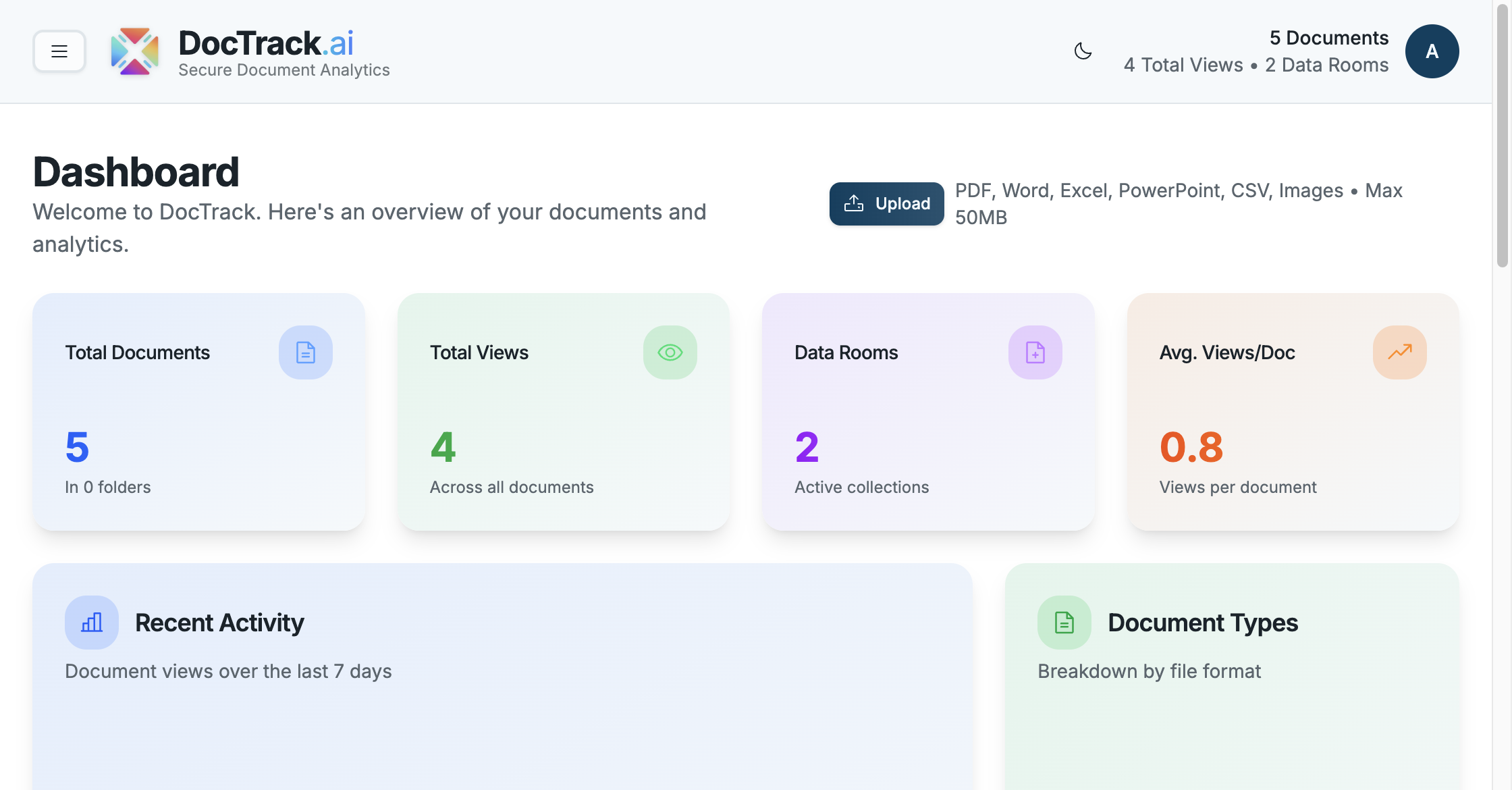
When you sign in, the Dashboard gives you an at-a-glance summary of your account — total views, average views per document, average viewing duration, visitor locations, and recent activity.
🗂️ Core Areas
DocTrack is organized into a few main sections, accessible from the navigation menu:
| Section | Purpose |
|---|---|
| 🏠 Dashboard | High-level analytics across all your documents. |
| 📄 Documents | Upload, organize, preview, and share your files. |
| 🗂️ Data Rooms | Group documents into branded, access-controlled spaces. |
| 📊 Analytics | Deep-dive view, visitor, and engagement metrics. |
| 👥 Teams | Collaborate with colleagues on shared content. |
| 🔗 Shared Links | Manage every share link you've created. |
| 📥 File Requests | Collect files from external users via upload links. |
| 🗑️ Recently Deleted | Restore items deleted within the last 30 days. |
| ⚙️ Settings | Branding, integrations, retention, billing, and preferences. |
🛡️ Security & Protection Features
Every share link and data room can be protected with:
- 🔐 Password protection — require a passcode to open.
- ⏳ Link expiration — automatically revoke access on a chosen date.
- 👁️ View limits — cap the number of times a document can be opened.
- 📥 Download control — allow or block downloads.
- 💧 Dynamic watermarks — overlay viewer details on each page.
- 📵 Screenshot protection — block screenshots and screen recording.
- 📧 Email gating — require a verified email before viewing.
- ✍️ E-signatures — let viewers sign in-document via OpenSign.
📊 Analytics Features
- 📈 Total views, unique viewers, and average completion rate.
- ⏱️ Per-page engagement and average view duration.
- 🌍 Visitor geography and device insight.
- 🕒 Recent activity timeline and per-visitor session detail.
Continue to Uploading Documents to start sharing your first file. 🚀