📤 Uploading Documents
Getting your files into DocTrack takes only a few seconds. Once uploaded, every document becomes shareable and trackable.
📝 How to Upload
- Open the Documents section from the navigation menu.
- Click the Upload button at the top of the page.
- Select one or more files from your device — you can upload multiple files at once.
- Your files appear in the documents grid as soon as the upload completes.
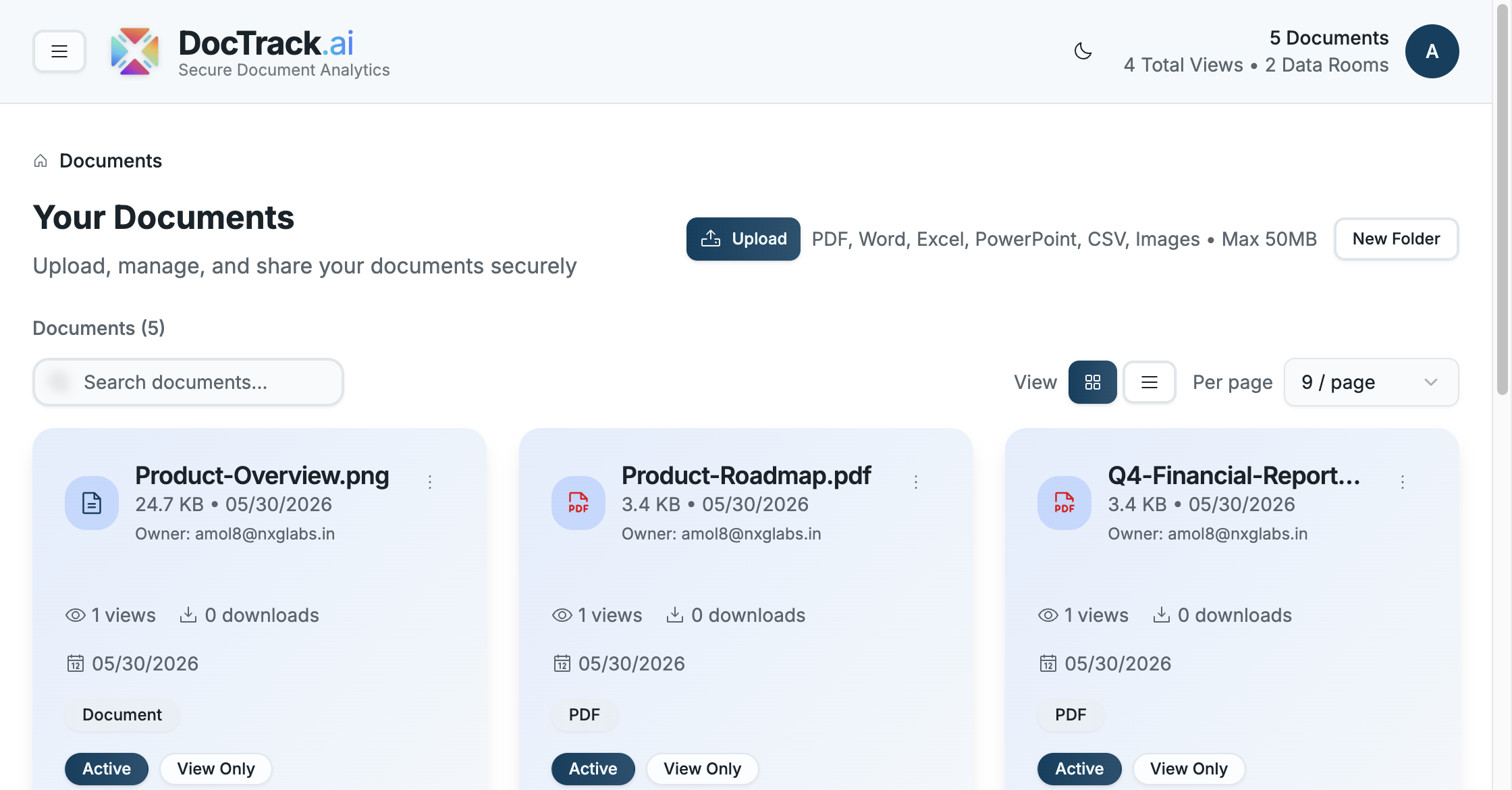
Each document card shows its file type, size, upload date, owner, view count, and download count, along with quick Preview, Share, and Analytics actions.
📄 Supported File Types
DocTrack supports a wide range of formats:
- 🖼️ Images — PNG, JPG, JPEG
- 📝 Word — DOC, DOCX
- 📊 Excel — XLS, XLSX
- 📈 PowerPoint — PPT, PPTX
- 🗒️ CSV
📏 Maximum file size: 50 MB per document.
Available formats can vary by subscription plan. Higher-tier plans add Office formats, video, and more.
📂 After Uploading
Once a document is in DocTrack you can:
- 👁️ Preview it in the secure viewer.
- 🔗 Share it through a trackable link with security controls.
- 📊 Analyze how viewers engage with it.
- 🗂️ Organize it into folders or add it to a data room.
Next, learn how to keep your library tidy in Managing Documents & Folders. 🚀