➕ Creating a Data Room
Building a data room takes just a few minutes. The creation dialog is organized into three tabs — Basic Settings, Access & Security, and Branding & Domain — so you can configure content, protection, and presentation in one place.
To start, open the Data Rooms section and click Create Dataroom.
1️⃣ Basic Settings
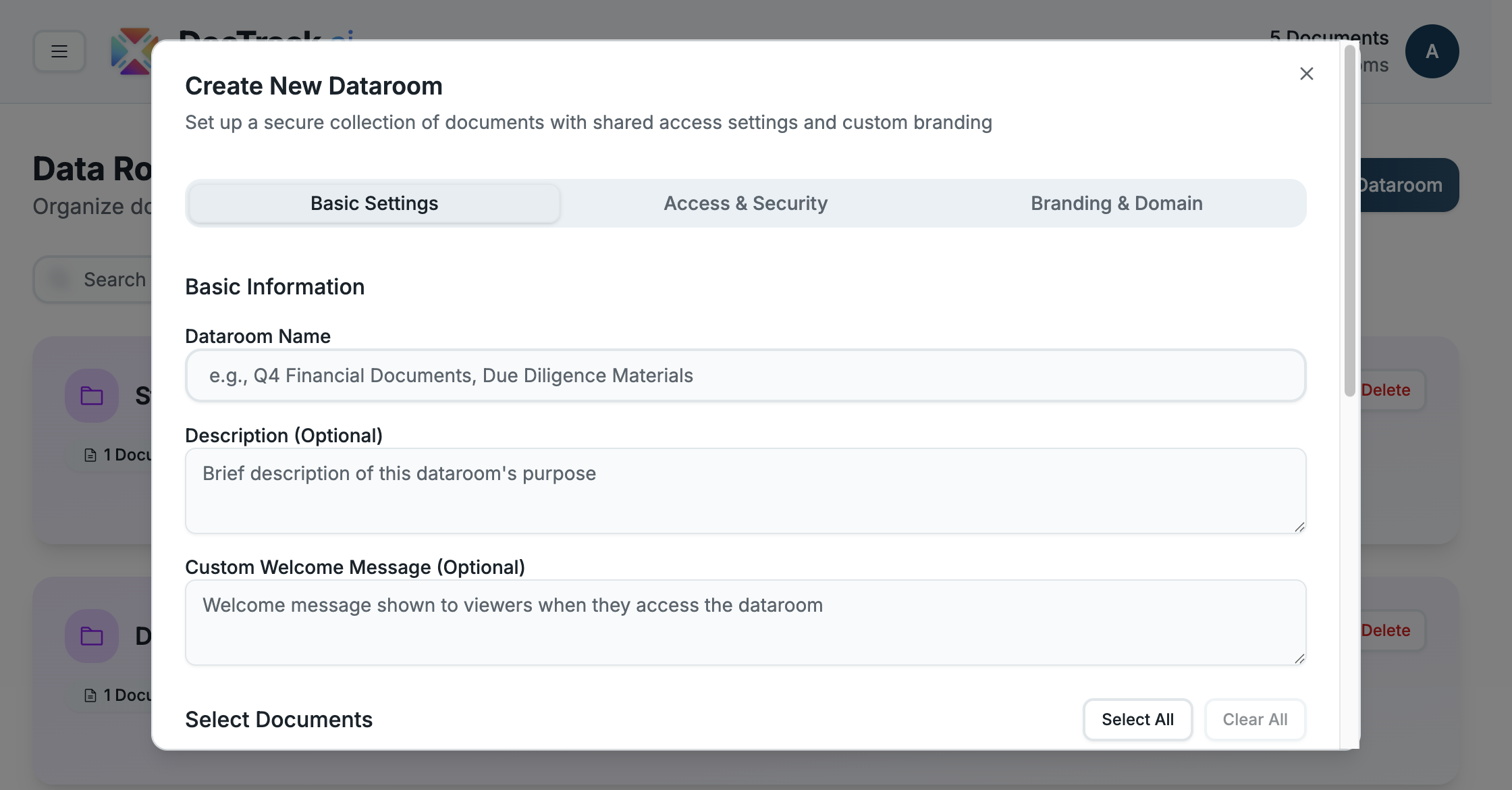
On the first tab you define what's in the room:
- 🏷️ Dataroom Name — the title recipients will see.
- 📝 Description (optional) — a short summary of the room's purpose.
- 💬 Custom Welcome Message (optional) — greet visitors when they open the room.
- 📄 Select Documents — tick the documents to include. Use Select All / Clear All to manage the selection quickly (e.g. 0 of 5 selected).
- 🧭 Show index page with document list — display a contents page listing every document (enabled by default).
2️⃣ Access & Security
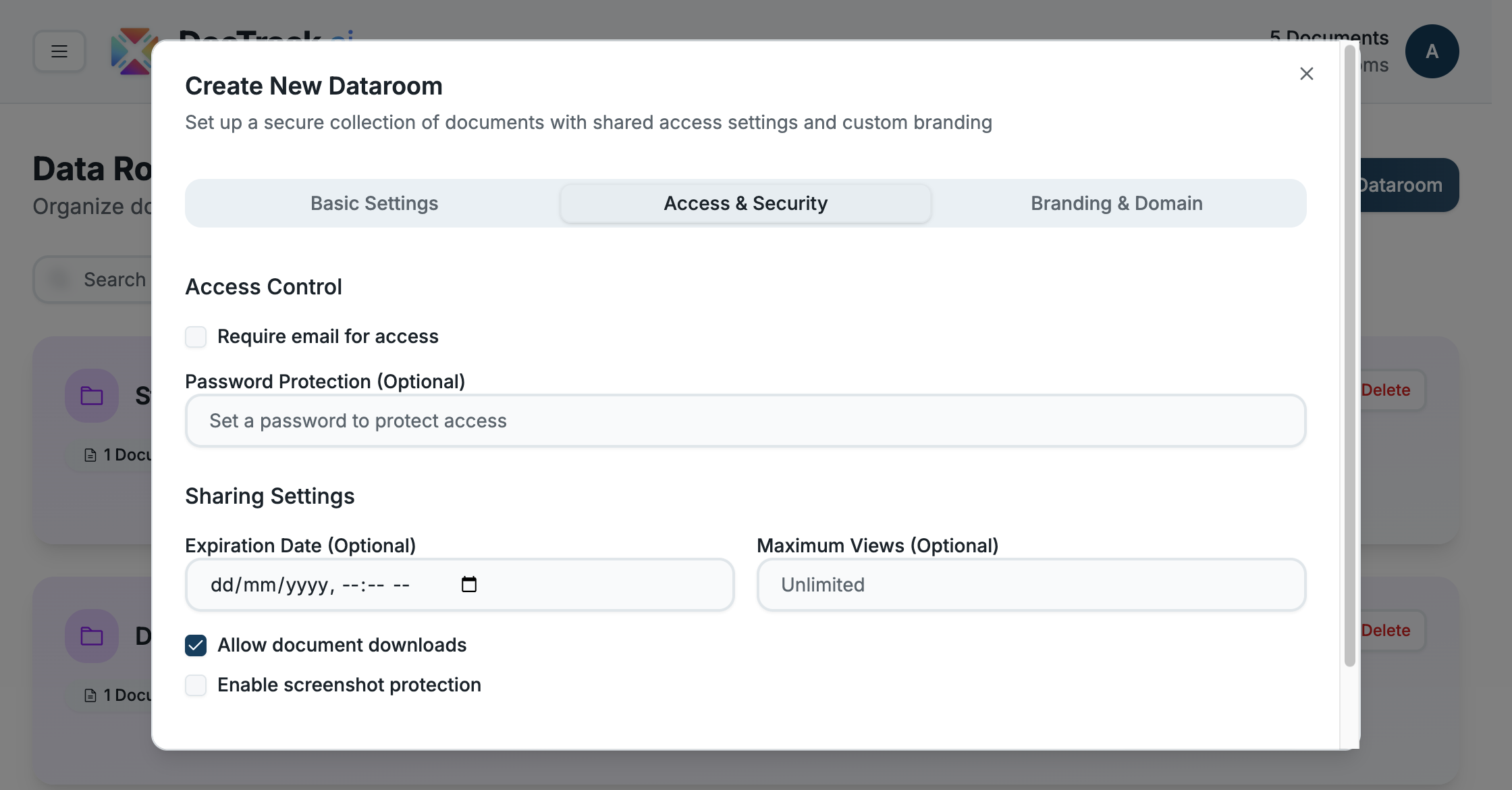
The second tab controls who can open the room and what they can do:
- 📧 Require email — capture each visitor's email before access.
- 🔐 Password — require a passcode to open the room.
- ⏳ Expiration Date — automatically revoke access after a chosen date.
- 👁️ Maximum Views — cap the total number of views.
- 📥 Allow downloads — let visitors download documents (on by default).
- 📵 Screenshot protection — block screenshots and screen recording.
3️⃣ Branding & Domain
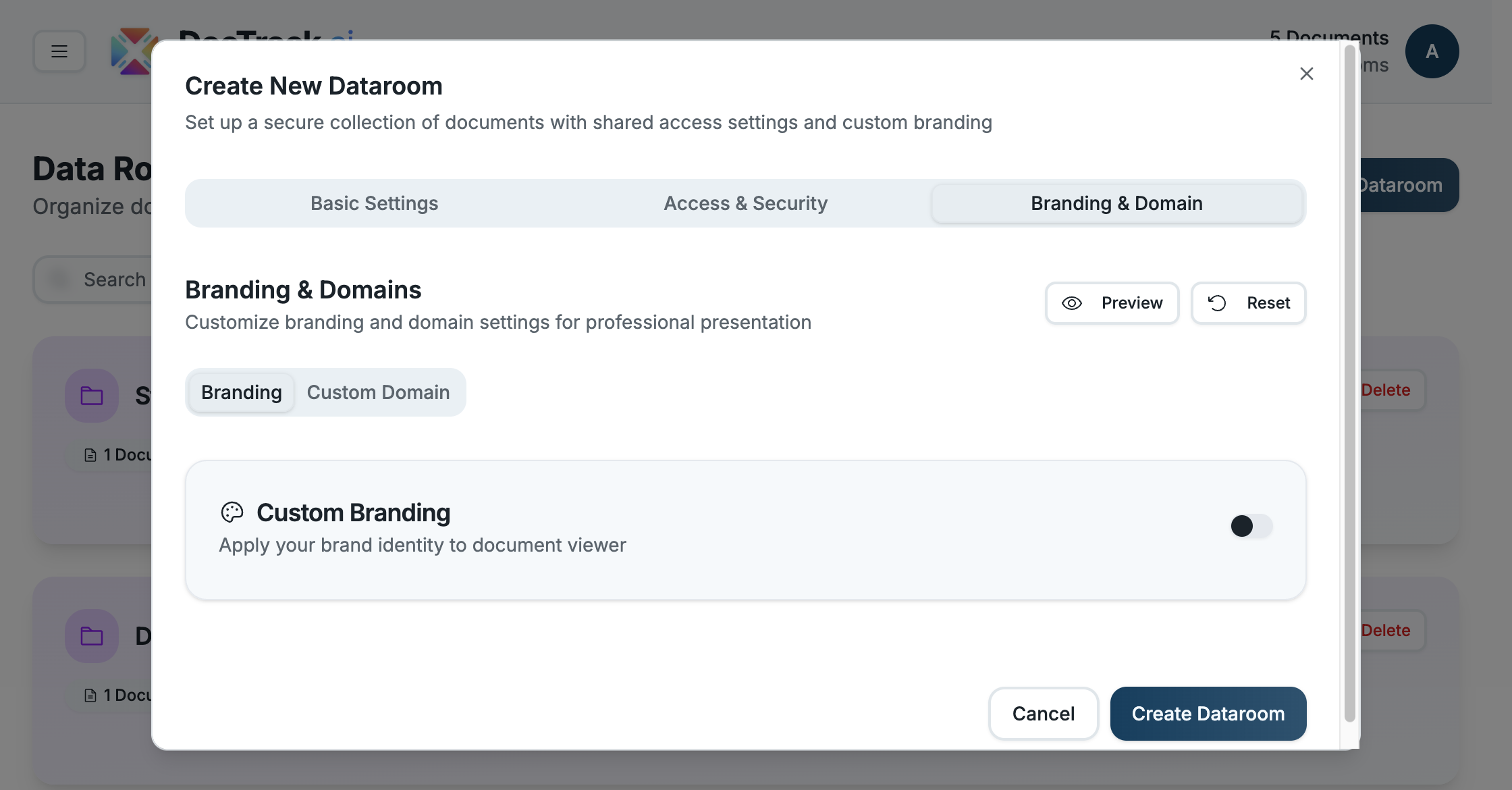
The final tab makes the room your own:
- 🎨 Branding — toggle Custom Branding to apply your logo and colors to the viewer.
- 🌐 Custom Domain — serve the room from your own domain for a fully white-labeled experience.
- 👁️ Preview / Reset — preview the branded result or reset to defaults before saving.
✅ Finishing Up
Once you've configured all three tabs, save the room. It will appear in your Data Rooms list, ready to share. You can revisit any of these settings later by editing the room.
💡 Tip: Keep a consistent naming convention (e.g. "Acme — Series A Due Diligence") so rooms are easy to find and audit.
Next, learn about individual Shared Links. 🚀